Your DJ assistant for every event
Plan the night with AI, then let it play: real DJ mixing with build-ups and drops, an MC voice for the big moments, your phone as the remote and your guests voting from theirs.
How it works
Plan the night
Pick the type of event and the AI drafts the running order - reception, entrances, dinner, speeches, dance sets - in your language. Change anything.
Choose the music
Upload your songs once. The AI analyses and tags them; mark must-plays, never-plays and the song for each moment.
Run the event
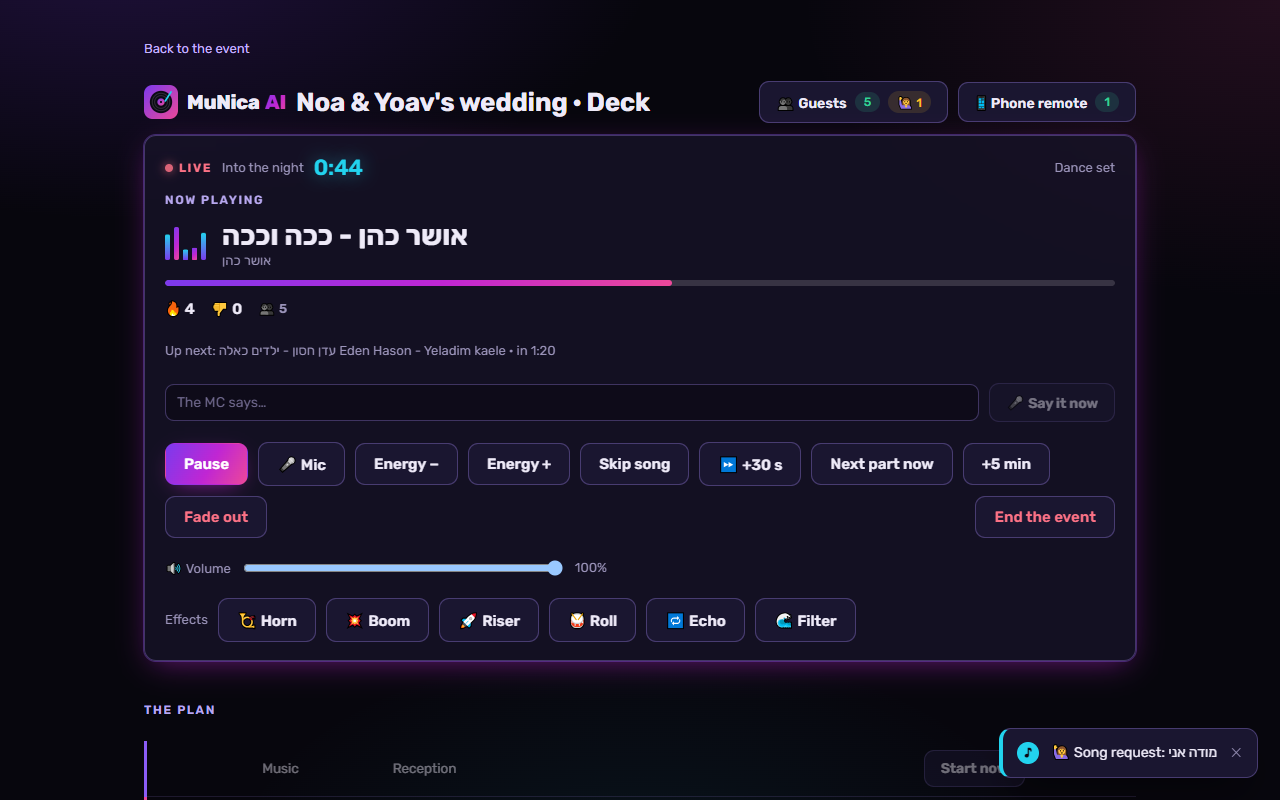
Connect a laptop to the speakers and press Start. The AI DJ plays the whole night, on time, even without internet.
Everything a DJ does - automatically
Real DJ mixing
Beatmatched blends that respect keys and vocals: never two singers at once, never a line cut in half.
Party effects
Build-ups, drops, spin-downs and risers when the moment and the songs call for it - and clean mixes for the slow ones.
AI MC
Writes the announcements with your names and details, and says them on cue while the music dips.
Your phone is the remote
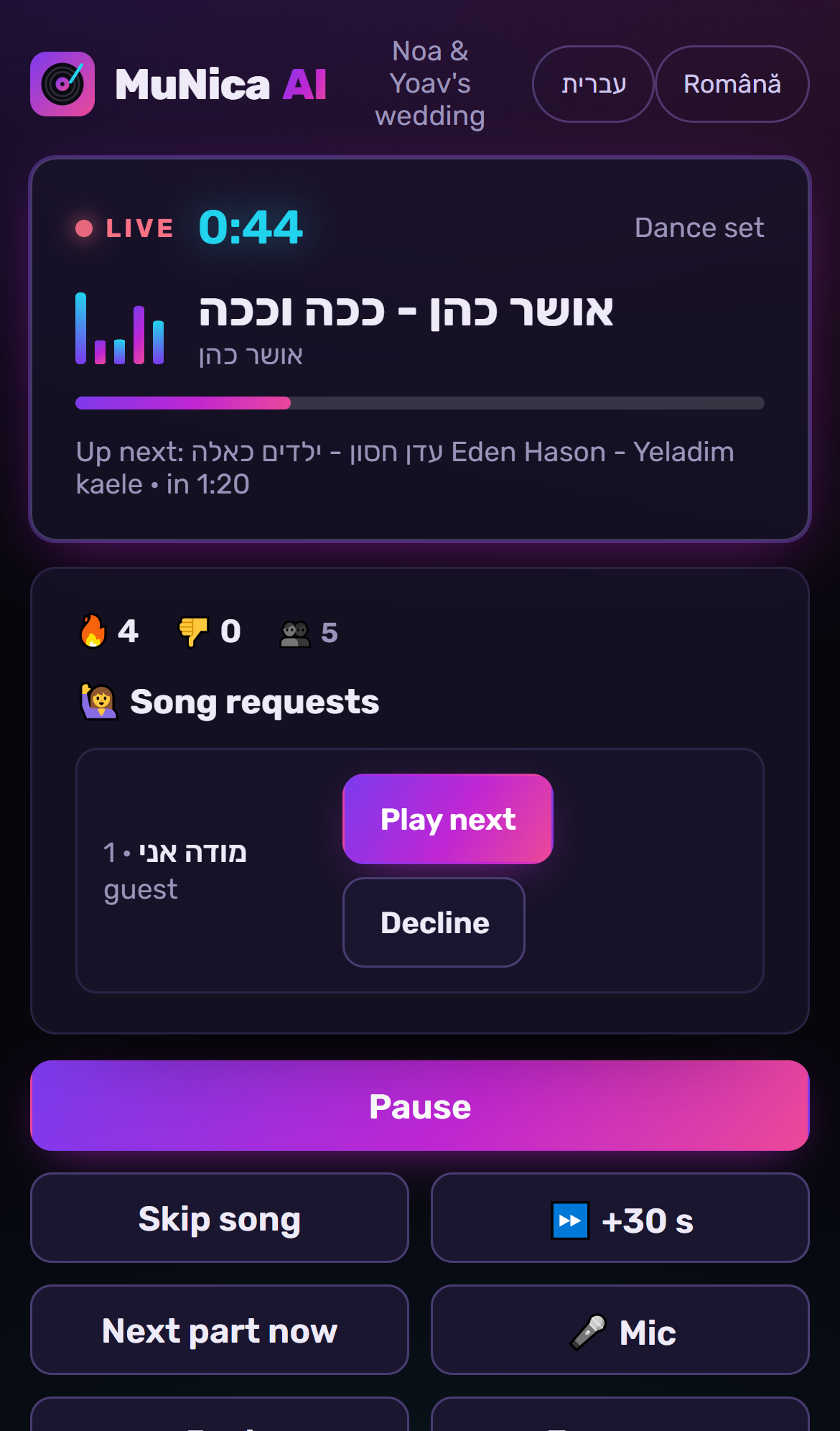
Scan a QR code: skip, pause, energy up or down, mic mode, play a song next - or just tell the DJ in words.
Guests join in
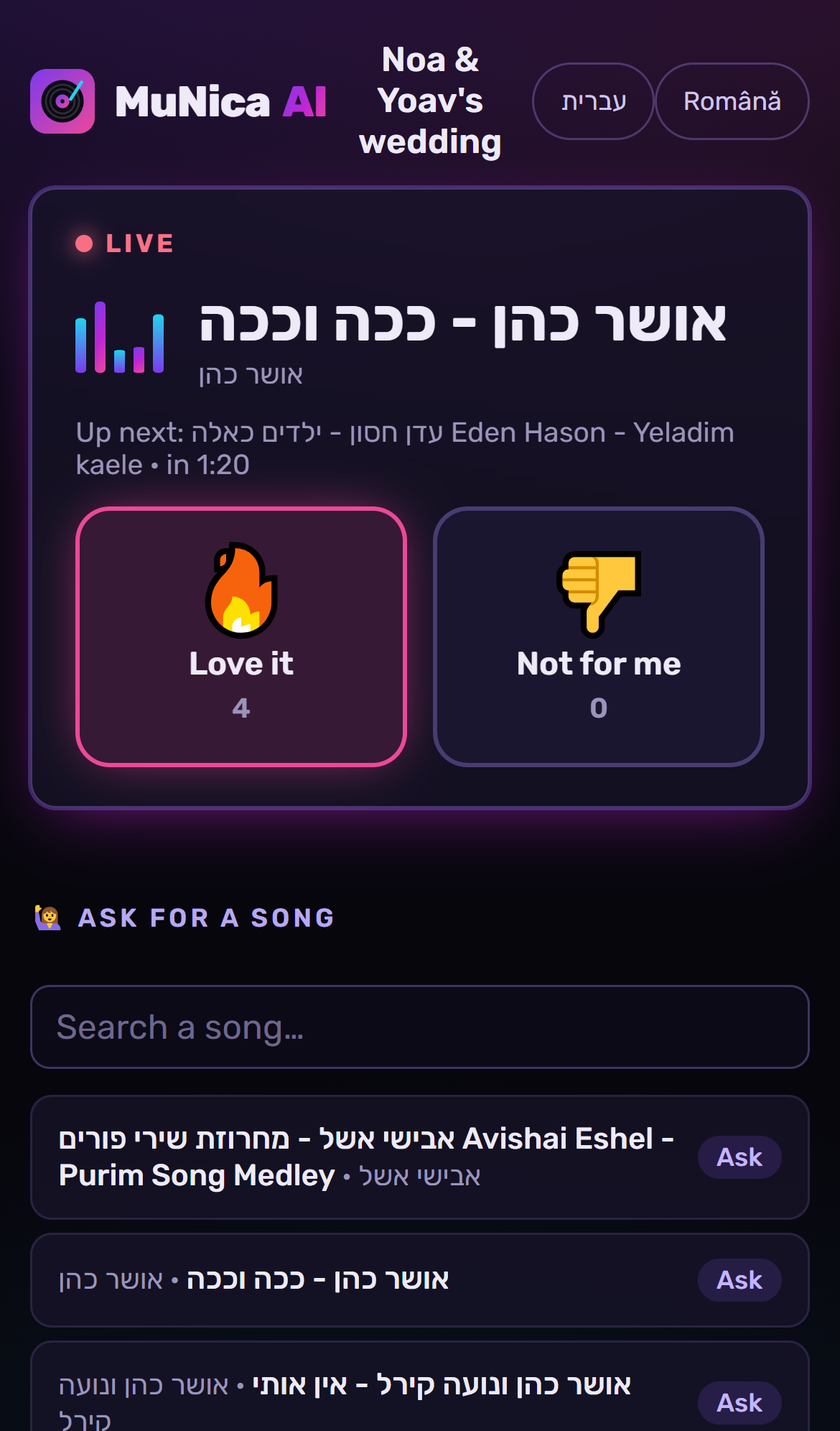
Guests scan a QR code to vote on the songs and ask for songs. You approve, and nobody signs up.
Works offline
Event Ready saves the night's music on the laptop: the venue's Wi-Fi can fail, the party doesn't.
See it in action
Pricing
Planning is always free. Pay when you're ready to run the event live.
Plan
- AI running order and MC lines
- Upload and organise your music
- Preview of the night
One event
- Run the event live on the deck
- Phone remote and guest QR
- DJ effects and the AI MC
- Event Ready: plays without internet
Pro
or €140 a year: 2 months free
For DJs, venues and event companies
- Unlimited live events
- Everything in One event
- Cancel anytime
What you're paying for
Everything for one event: the AI DJ, the timeline, the phone remote, guests and the AI MC voice.
AI on us for the event: 10 planning actions, 50 "Tell the DJ" messages and 4,000 characters of AI voice.
Unlimited live events: the AI DJ mixing your music, the timeline with its breaks and moments, the phone remote, guests' requests and votes, the AI MC voice, song ideas and hot songs.
AI on us each month: 60 planning actions (timeline drafts, MC lines, song ideas, playlist cleanup), 200 "Tell the DJ" messages and 30,000 characters of AI voice.
Everything in Pro (monthly) or for one event, with the AI on your own Claude and ElevenLabs keys: you pay them for what you use, and see the cost before each action.
AI: no limits from us - your providers' own limits and prices apply.
Need more? AI credits: €5 for 50 actions and 20,000 voice characters. They don't expire.
- You bring your own music files: MuNica doesn't stream Spotify, YouTube or Apple Music.
- The Deck runs in Chrome or Edge on a laptop or tablet connected to the speakers; your phone is the remote.
- After "Get event ready" the night plays without internet; guests' requests, the phone remote and the AI need internet.
- The AI writes proposals (timelines, MC lines, song ideas): you approve them, and they can be wrong.
- Clean mode beeps the bad words it hears in the songs; it can miss some, in fast or unclear singing, and newly added songs are checked within a few hours.
- The AI MC voice speaks your event's languages with the voice you choose; without one, the laptop speaks or you read on the mic.
- Licences to play music in public (e.g. UCMR-ADA, CREDIDAM and UPFR in Romania, ACUM in Israel) are the host's or the venue's responsibility.
- An event pass can be refunded until 24 hours before the event (with a date set); a monthly plan can be cancelled any time and stays on until the paid period ends.
Questions
What do I need at the venue?
A laptop with Chrome, connected to the speakers. Your phone works as the remote.
Where does the music come from?
From files you upload - your own music, never shared with other users. Public performance licensing at the event is the venue's or the host's responsibility, as with any DJ.
What if the internet drops?
Press "Get event ready" before the event: the music is saved on the laptop and the night plays without internet.
Which languages?
The app speaks English, Hebrew and Romanian. Events run in Hebrew, English, Romanian, Russian, French, Spanish, Arabic, German or Italian - and the MC can announce in up to four of them at the same event.
Am I still in control?
Always: skip, pause, jump to any part of the night, approve requests and talk on the mic - from your phone.